

These phones are losing software support. Here is what to do next
A phone does not become useless when updates stop, but its risk grows over time. Here is how to check support, protect your data, and plan an upgrade without panic.
A phone does not become unsafe the second its final update arrives.
It also does not remain equally safe forever.
When manufacturer support ends, newly discovered vulnerabilities may no longer be patched. The phone keeps working, but the gap between current threats and its defences can grow. That matters when the same device holds your banking apps, email, passwords, photos, work files, and private conversations.
The right response is not panic. It is a plan.
What you need to know
Major Android updates and security updates are different. Some phones stop receiving new Android versions before security patches end. Google Pixel 6 and Pixel 6 Pro are scheduled to reach the end of their five-year update window in October 2026. Samsung Galaxy Z Fold3 and Z Flip3 are expected to reach the end of security support in August 2026. Galaxy S22, S21 FE, and A53 models have reached or are reaching the end of major Android upgrades, but security support continues into 2027. Regional and carrier schedules can differ. An unsupported phone can still work, but replacing it becomes more urgent when it handles sensitive accounts.
What does "end of support" actually mean?
Phone support is not one single switch.
Manufacturers can provide major operating-system upgrades, monthly or quarterly security patches, bug fixes, interface updates, app updates through Google Play or the App Store, and emergency security fixes for older systems.
A phone may stop receiving major Android upgrades while continuing to receive security patches for another year. Calling it fully "dead" at that point is misleading.
The most important date for security is the end of security patches, not merely the final major feature update.
Which popular phones are closest to the edge?
Support policies can change, and carrier variants may receive updates on different schedules. Based on current manufacturer commitments and published timelines, several devices deserve attention.
Google Pixel 6 and Pixel 6 Pro
Google promises five years of updates from the date these phones first became available in the United States. The Pixel 6 and Pixel 6 Pro launched in October 2021, placing the end of their scheduled update window in October 2026.
After that date, Google may still issue an exceptional fix, but owners should not build a security plan around corporate generosity.
Samsung Galaxy Z Fold3 and Z Flip3
Samsung's 2021 foldables received a four-year operating-system commitment and five years of security updates. Their major Android upgrade period has already ended. Security support is expected to end around August 2026.
These phones may still feel premium and capable. A folding screen does not fold time.
Samsung Galaxy S22, S22 Plus, and S22 Ultra
The S22 family launched in February 2022. Its promised major Android upgrade period has reached its end in 2026, while security updates are expected to continue into February 2027.
This is a good example of why "no more Android versions" and "no more security support" should not be treated as the same warning.
Samsung Galaxy A53 5G
The Galaxy A53 launched in 2022 with a strong support promise for its class. Major Android upgrades have reached their scheduled end in 2026. Security updates are expected to continue into 2027.
If you own one, you do not need to throw it into a drawer today. You should know that the next upgrade cycle is approaching.
Samsung Galaxy S21 FE
The Galaxy S21 FE has reached the end of its major Android upgrade window, while security patches are expected to continue until early 2027. Owners should keep installing those patches and begin comparing replacements before support fully ends.
Samsung Galaxy Z Fold4 and Z Flip4
These 2022 foldables are scheduled to finish their major Android upgrade period in 2026, while security support should continue into 2027. Again, the operating system and security deadlines are not identical.
How do you check your phone's security status?
On most Android phones, open Settings, search for Software update, , or Security update, check the Android security patch date, install any available update, and compare the device model with the manufacturer's official support page.
The patch date matters more than whether the interface looks modern.
Also confirm the exact model number. A phone name can cover different regional or carrier variants with slightly different schedules.
For Samsung devices, check Samsung's Mobile Security page. For Pixel phones, use Google's official Pixel update policy. For Motorola and other brands, use the manufacturer's support lookup rather than a retailer's product description.
Retail listings have a charming habit of remembering the camera megapixels and forgetting the expiry date.
Is an unsupported phone immediately dangerous?
No.
Security risk is cumulative and contextual. A freshly unsupported phone with fully updated apps, strong account security, and careful usage is not instantly compromised.
The danger grows because future flaws may remain unpatched. Attackers also learn from vulnerabilities fixed in newer versions and may adapt them against older systems.
Risk is higher when you use the phone for banking or , store work email or confidential documents, install apps outside official stores, click unknown links, reuse passwords, leave sharing features exposed, use public Wi-Fi without care, ignore app and browser updates, or keep sensitive accounts signed in permanently.
A spare phone used offline for music carries a different risk from the phone that approves every financial transaction you make.
What should you do before support ends?
Install remaining system and security patches. Update apps through the official store. Keep the browser current.
Use a password manager, unique passwords, , and a secure screen lock. Prefer passkeys or authenticator apps where available.
Delete abandoned apps, especially those that have not been updated recently. Every app adds code, permissions, and potential attack surface.
Check banking and work requirements. Some financial and workplace apps eventually block devices with old security patch levels. Do not wait until payroll day to discover that your phone has aged out.
Back up photos, contacts, documents, authentication recovery codes, and chat backups. An upgrade is easier when your data is not being held hostage by one ageing device.
Compare phones by total support remaining, not only discount price. A cheap phone with twelve months of updates can cost more per useful year than a slightly newer model with five years left.
When should you replace the phone?
Replace sooner when the phone handles sensitive work, banking, business administration, healthcare data, or privileged accounts.
You can wait longer when the device has received its final major Android version but still receives security patches. That period is useful for budgeting and research.
Once security support ends, upgrade promptly for high-risk or work-critical use, upgrade within a few months for an everyday primary phone, keep it only for limited offline or low-risk use if the hardware remains useful, and avoid giving an unsupported device to a child or relative without explaining the limitation.
Advanced users may consider a reputable custom operating system, but that path can break banking apps, reduce hardware support, or create new security problems when maintained badly. It is not the default answer for most people.
How to buy a replacement that lasts
Before buying, check the device's original launch date, the number of major operating-system updates promised, the number of security-update years promised, whether the promise starts at launch or purchase, how frequently the manufacturer actually delivers patches, battery replacement and repair options, capacity for future app growth, and resale value near the end of support.
Do not measure support from the day you found the phone on sale. The clock usually started when the model launched.
That clearance deal may be cheaper because part of its useful life has already been spent in a warehouse.
The tecMAMBO verdict
End of support is not a siren. It is an expiry label.
You do not need to replace a phone because it missed one shiny feature update. You should replace it when the security window closes and the device remains responsible for valuable accounts and data.
Check the patch date. Understand which support has ended. Budget early. Upgrade deliberately.
Panic is expensive. So is pretending software has no shelf life.
FAQ
Will my phone stop working when support ends?
No. Calls, apps, cameras, and other functions can continue working. The problem is that future security vulnerabilities and compatibility issues may no longer be fixed.
Is it safe to use a phone that no longer gets Android version upgrades?
It can be, provided the phone still receives security patches. Major feature updates and security support often end on different dates.
When do Pixel 6 updates end?
Google's five-year policy places the scheduled end of updates for Pixel 6 and Pixel 6 Pro in October 2026.
When does Galaxy S22 security support end?
Current published timelines place the end of Galaxy S22 series security support in early 2027, even though major Android upgrades finish earlier.
Can antivirus make an unsupported phone safe?
Antivirus can help detect some threats, but it cannot patch vulnerabilities inside an unsupported operating system. It is an extra layer, not a replacement for manufacturer updates.
Sources
A phone can keep working after support ends. Your risk tolerance should not.
Ask MAMBO
Have a plain-English question about this topic? Send it in and we may answer it in a future guide.
Ask a questionRelated reading
 Should you care?
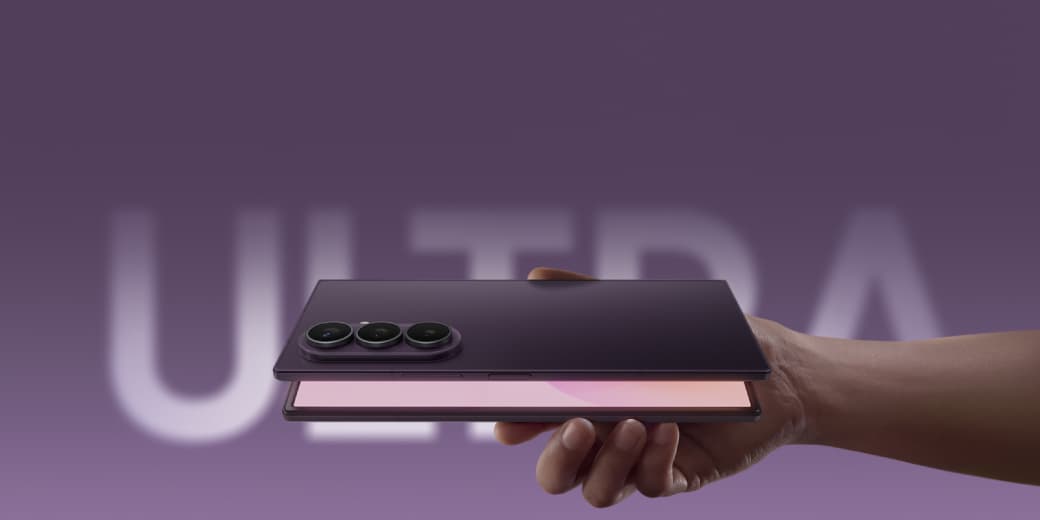
Samsung goes Ultra: everything announced at the London Unpacked, from a 4.1mm Fold to Gemini glasses
Samsung's London Unpacked delivered the first Ultra foldable at 4.1mm, a wider Fold8, the Flip8, two new watches, and Gemini-powered smart glasses. Every announcement, explained.
 Should you care?
Samsung Messages is shutting down in the US. Google has won the Android texting war
Samsung is directing supported US Galaxy phones to Google Messages. The move simplifies Android texting, but it also gives Google more control over a basic phone function.
 MAMBO Explains
Android 17 makes a stolen PIN less powerful, but biometrics are not magic
Google is reducing the power of a stolen or observed PIN by requiring biometrics for sensitive recovery actions. It is a useful security layer, not a complete theft cure.