

How to fix a full Google Drive without paying for more storage
Your free Google storage is shared across Google Drive, Gmail and Google Photos. Android WhatsApp backups can count toward the same limit.
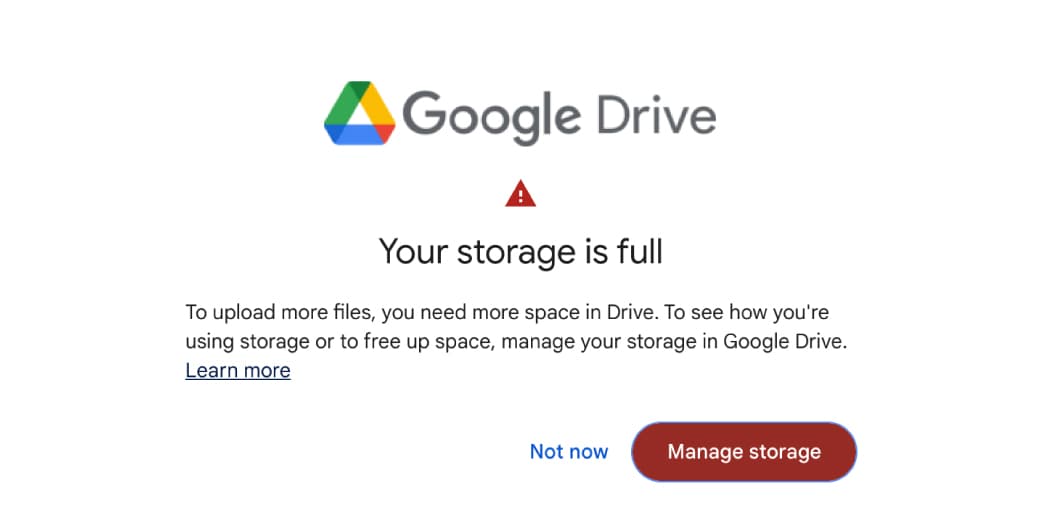
Your free Google storage is shared across Google Drive, Gmail and Google Photos. Android WhatsApp backups can count toward the same limit.
That is why deleting a few documents from Drive may barely move the storage meter.
The fastest cleanup begins with Google's storage manager, then targets large files, old attachments, videos, backups and trash. Do not begin by randomly deleting thousands of tiny emails. Digital decluttering can become unpaid archaeology.
What you need to know
- Check which service is using the space.
- Download or export files you cannot replace.
- Confirm which Google account you are cleaning.
- Remember that deleting from Google Photos can affect synced copies.
- Understand that deleting a WhatsApp backup can remove your ability to restore chats.
- Empty trash only after reviewing it.
- Allow time for the total to update.
Step 1: Open Google's storage manager
Go to the Google One storage management page while signed into the correct account.
The dashboard separates usage across:
- Google Drive
- Gmail
- Google Photos
- Device or application backups
Start with the largest category.
This sounds obvious, but many people spend an hour deleting email while a forgotten 8GB video backup sits elsewhere with the confidence of a landlord.
Step 2: Find the largest Google Drive files
Open Google Drive's storage view and sort by storage used.
Review:
- Video files
- ZIP archives
- Design exports
- Old phone backups
- Duplicate project folders
- ISO or installation files
- Large PDFs
- Shared project copies that you own
- Abandoned uploads
Files in "Shared with me" usually count against the owner's storage, not yours, unless you own or copied them.
Download important files to an external drive or another trusted location before deleting them.
Then move unwanted files to Trash.
Deleting is not complete until the Drive Trash is emptied.
Step 3: Search Gmail for large attachments
Gmail supports search operators that make cleanup much faster.
Try:
`larger:10M`
This finds messages larger than 10MB.
Other useful searches include:
`has:attachment larger:5M`
`older_than:2y has:attachment`
`filename:mp4`
`filename:zip`
`from:example@company.com older_than:1y`
Review the results before deleting. Large attachments may include contracts, invoices, client files, family photos or evidence you will regret losing.
After deletion, empty Gmail Trash.
Also clear Spam if it contains large messages. Spam and Trash can continue using storage until permanently removed.
Step 4: Clean Google Photos carefully
Videos usually produce the largest gains.
Use the Google Photos storage-management tools to review:
- Large photos and videos
- Unsupported videos
- Blurry photos
- Screenshots
- Repeated burst shots
- Old screen recordings
- Downloaded memes
- Accidental pocket videos
Google Photos does not provide a perfect universal duplicate-removal button. Treat third-party duplicate tools cautiously, especially those requesting broad account access.
You can also convert eligible original-quality uploads to Storage saver quality. This reduces file size but can reduce quality.
Before deleting, understand sync behaviour.
Removing an item from Google Photos can remove it from synced devices. "Free up space" on a phone is different: it removes local copies that are already backed up while keeping cloud copies.
Read the button. The nouns are similar. The consequences are not.
Step 5: Reduce WhatsApp backup size
WhatsApp backups on Android can count toward Google Account storage.
Videos are often the largest part.
Inside WhatsApp:
- Open Settings.
- Open Chats.
- Open Chat backup.
- Turn off Include videos if you do not need them.
- Create a new smaller backup.
You can then review backups through Google One's storage manager.
Warning: deleting the current WhatsApp backup is permanent. If you change phones or reinstall WhatsApp before creating another valid backup, you may lose chat history.
Do not delete the only copy during a storage-cleaning mood.
Tidiness is not a recovery strategy.
Step 6: Look for old device backups
Google may store backups from phones or applications you no longer use.
Review the device name and last backup date.
Delete only when you are certain the backup is obsolete and the data exists elsewhere or is no longer needed.
An old phone backup can be useless clutter. It can also be the last copy of contacts, messages or settings from a device that died.
Step 7: Empty every trash folder
Google Drive, Gmail and Google Photos have separate trash or bin areas.
A file moved to Trash may continue counting until it is permanently deleted or automatically removed after the retention period.
Review and empty:
- Google Drive Trash
- Gmail Trash
- Gmail Spam
- Google Photos Bin
Storage totals can take time to update.
If the number does not change immediately, do not delete another family archive out of frustration.
Step 8: Stop storage from filling again
Change camera backup quality
Use Storage saver if full- originals are unnecessary.
Exclude WhatsApp videos
Chat videos multiply quickly and are often available elsewhere.
Unsubscribe from newsletters
Deleting old mail helps once. Reducing new mail helps continuously.
Move completed projects
Archive large design, video and development projects to local or dedicated storage.
Set a quarterly cleanup reminder
Review the storage dashboard before Google sends the warning.
Separate personal and client data
A free personal account is not a long-term archive for a business.
What not to delete
Keep or export:
- Tax and legal records
- Client agreements
- Invoices
- Identity documents
- Password and recovery information
- Family archives
- Original creative work
- Important chat backups
- Files required by work or school
The cheapest storage plan can be less expensive than reconstructing one lost project.
The aim is not to avoid paying Google at any cost. It is to stop paying for rubbish.
The tecMAMBO verdict
A full Google Drive is usually a full Google account.
Start with the dashboard, target the largest items, control backups and empty the bins. Avoid the heroic but useless act of deleting 4,000 emails that contain only text.
Storage cleanup rewards arithmetic, not enthusiasm.
FAQ
Why is Google Drive full when I have few files?
Gmail, Google Photos and some backups share the same account storage. Drive may not be the main source.
Do shared files use my storage?
Files owned by someone else usually count toward their storage. Copies you create and files you own count toward yours.
Do deleted files free space immediately?
Items in Trash can continue using storage. Empty the relevant trash folder and allow time for the total to update.
Does WhatsApp backup use Google storage?
Android WhatsApp backups count toward Google Account storage under current policy.
Can I compress Google Photos without deleting them?
Eligible original-quality items can be converted to Storage saver quality, which reduces storage use with some quality trade-off.
Sources
Ask MAMBO
Have a plain-English question about this topic? Send it in and we may answer it in a future guide.
Ask a questionRelated reading
 MAMBO Take
Android 17 app Bubbles show why Google still understands multitasking better than Apple
Android 17 lets Pixel users turn almost any app into a movable floating window. It is a small interface change with large implications for phones, tablets and foldables.
 MAMBO Explains
Android's August system update shows how Google changes your phone without an OS upgrade
Many Android changes now arrive through Play services rather than a full Android release, making updates faster but less visible.
 MAMBO Explains
The VLC story: how the traffic cone said no to tens of millions, and why almost nobody else did
Nearly every "free" app you use pays for itself with your attention or your data. VLC is the great exception, and understanding why it stayed clean explains what happened to everything else on your phone.