
Gemini finally has a real Windows app, and Google didn't leave Windows 10 users behind
Google's native Gemini app is now available for Windows 10 and 11, with a system-wide hotkey, Nano Banana image generation, and Gemini Omni video tools.
Quick answer
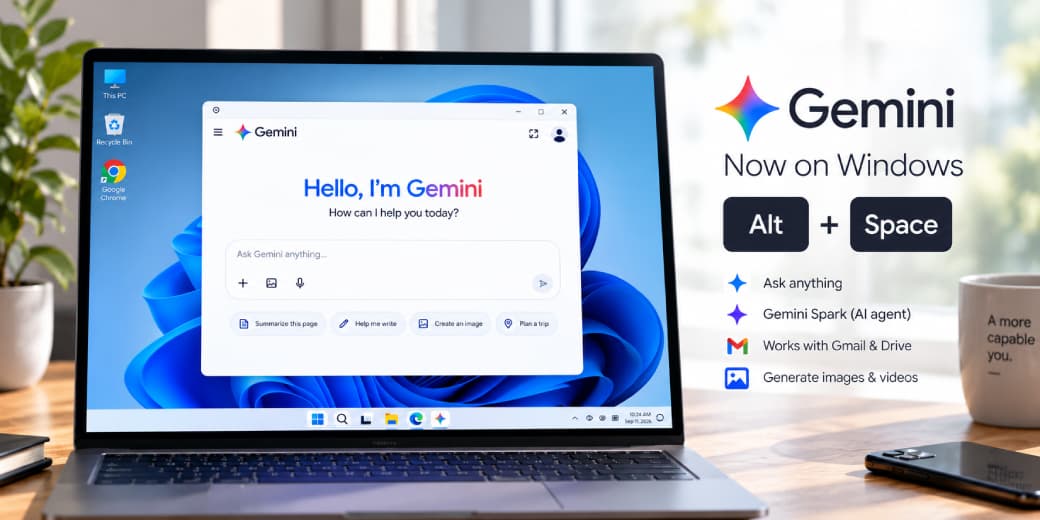
Google released a native Gemini desktop app for Windows 10 and Windows 11 on September 10, 2026. It includes a global Alt+Space hotkey, image generation via Nano Banana, video creation through Gemini Omni, and access to Gemini Spark where account and regional availability permit. Windows got this roughly five months after macOS, which received its Gemini desktop app on April 15, 2026.
Google has released a standalone Gemini desktop application for Windows, closing a gap that macOS users have had filled since mid-April. The app is free to download from gemini.google/desktop and works globally.
What the app actually does
The headline feature is access: a system-wide Alt+Space keyboard shortcut summons a floating Gemini overlay on top of whatever else is open on screen, letting someone fact-check a document or generate a title idea without switching windows or opening a browser tab. Google describes the app as lightweight and designed to run quietly in the background without dragging down PC performance.
Beyond quick access, the app includes a fuller workspace for longer tasks. Gemini Spark, Google's persistent , can be handed multi-step research or planning work to complete in the background, including pulling context from connected Google Workspace apps like Gmail and Drive to generate summaries. Creative tools are built in directly: Nano Banana handles image generation and editing, while Gemini Omni handles video creation and direction, both inside the same window rather than requiring a separate app or browser tab.
Why Windows 10 support matters more than it might seem
Google explicitly shipped the app to Windows 10 as well as Windows 11, despite Microsoft ending free support for Windows 10 back in October 2025. That's a deliberate choice: Statcounter put Windows 10 at just over 30% of desktop Windows installs worldwide as of August 2026, a substantial share still running on hardware that can't meet Windows 11's requirements. Building Gemini for an operating system Microsoft itself has moved past is a direct bet on staying visible on machines Microsoft's own Copilot assistant is, by comparison, most deeply integrated with Windows 11 specifically.
What the system requirements mean
Google lists Windows 10 or newer, at least 8GB of , and about 200MB of available as the baseline. Those modest requirements help explain why Google is treating the app as a lightweight access layer rather than a giant local model download. Individual tools can still depend on the user's account, subscription, language, and region, so seeing Gemini on a supported PC does not that every named feature is immediately enabled.
What this costs, and where it doesn't work
The core Gemini desktop experience is free. Higher usage limits and some advanced creation features require a paid Google AI plan and may carry age restrictions. Kenyan readers should check the plan selector shown inside their own Google account before subscribing, because local pricing, introductory offers, and feature bundles can change.
Availability also has real gaps worth knowing about before assuming this works everywhere Gemini itself does. Gemini Spark specifically does not work in the European Economic Area, Nigeria, Switzerland, or the United Kingdom, according to Google's own support documentation, a regional restriction that affects one of Africa's largest tech markets directly.
The tecMAMBO take
The interesting decision here isn't the app itself, a native desktop client with a global hotkey is a fairly standard move at this point, both Microsoft's Copilot and Apple's own AI tools work similarly. It's the choice to ship it to a declining, unsupported operating system at all. Google is explicitly optimizing for reach over cutting-edge integration, meeting users on whatever machine they actually have rather than requiring the newest OS to get access to its flagship AI product. For markets like Kenya, where device replacement cycles run longer than in wealthier markets, that's a more consequential decision than the Alt+Space shortcut Google is putting front and center in its own marketing.
Privacy and workplace controls still matter
A desktop shortcut makes an assistant easier to reach, but convenience does not change the sensitivity of the material users paste into it. Employees should follow their organization's rules before sharing contracts, customer records, source code, or internal email. Connected Workspace features can be useful for summarization, yet they also make account permissions and administrator controls part of the security boundary. Users should review which services are connected and remove access they no longer need.
The app's modest storage requirement does not mean every task runs locally. Gemini remains a cloud service for many capabilities, so connectivity, account type, and Google's current data handling terms can affect the experience. Anyone working with confidential information should check the terms attached to the specific consumer, education, or business account rather than assuming one policy covers every edition.
What Windows users should check before installing
First confirm the PC runs Windows 10 or newer, has at least 8GB of RAM, and has enough free storage. Then confirm the Google account is eligible for the desired feature in the user's country and language. A paid plan may raise limits without making a region-restricted feature available. The cleanest test is the feature list displayed inside the signed-in account, not a list copied from another market.
Windows 10 support is valuable, but it should not be read as a reason to ignore operating-system security. Microsoft ended free support for most Windows 10 editions in October 2025. People who remain on the platform should understand their update path, especially on a computer used for work or financial accounts. Gemini's availability extends the assistant's reach; it does not extend Microsoft's security lifecycle for the operating system underneath it.
For African users, support for older PCs can reduce an immediate access barrier. The practical experience will still depend on connection quality because many advanced requests require cloud processing. A lightweight installer is helpful, but use, , and feature availability will determine whether the desktop app is more useful than the browser in day-to-day work.
FAQ
Does the Gemini Windows app work on Windows 10?
Yes. Google released it for both Windows 10 and Windows 11, on x64 and ARM64 architectures, despite Microsoft having ended free support for Windows 10 in October 2025.
Is the Gemini desktop app free?
The core app is free to download and use. Gemini Spark, larger Nano Banana creation limits, and Gemini Omni video generation require a paid Google AI subscription.
Does Gemini Spark work everywhere?
No. It's unavailable in the European Economic Area, Nigeria, Switzerland, and the United Kingdom.
Did Mac or Windows get the Gemini desktop app first?
Mac got it first, on April 15, 2026. Windows followed on September 10, 2026, about five months later.
Sources
Ask MAMBO
Have a plain-English question about this topic? Send it in and we may answer it in a future guide.
Ask a questionRelated reading
Android can finally move your passwords between apps without a file, a year after Apple got there
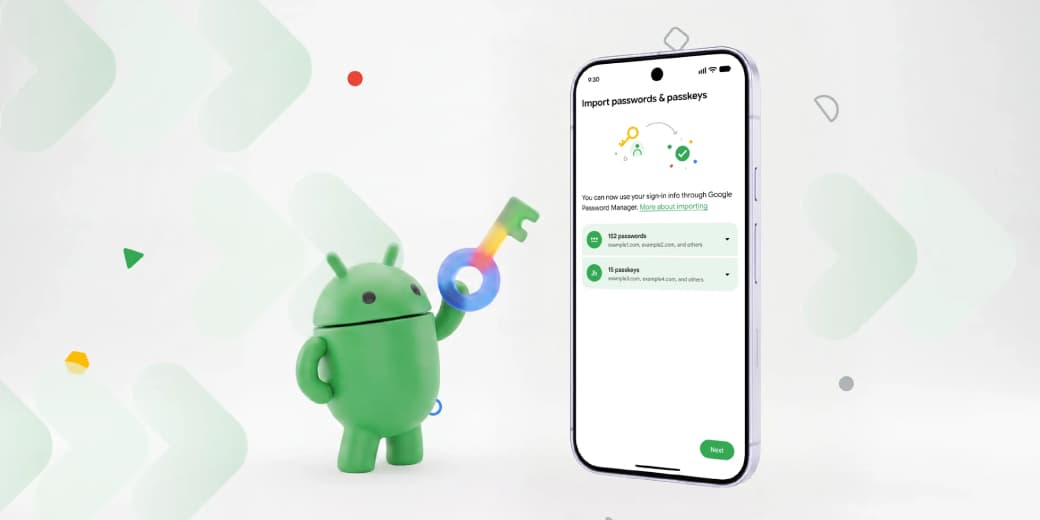
Starting September 10, 2026, Android lets users transfer saved passwords and passkeys directly between Google Password Manager, 1Password, Bitwarden, and Dashlane, without exporting an unencrypted file first.
Copilot can now tell you why your PC is slow
Microsoft is testing PC Insights for Copilot, a plain-English way to ask why your laptop feels slow, whether your storage is full, or why your battery is fading.
Claude's most powerful model is back, and the saga says a lot about who controls AI
Anthropic says Claude Fable 5 returns worldwide on July 1 after the United States lifted export controls that had forced the company to suspend its top models.